
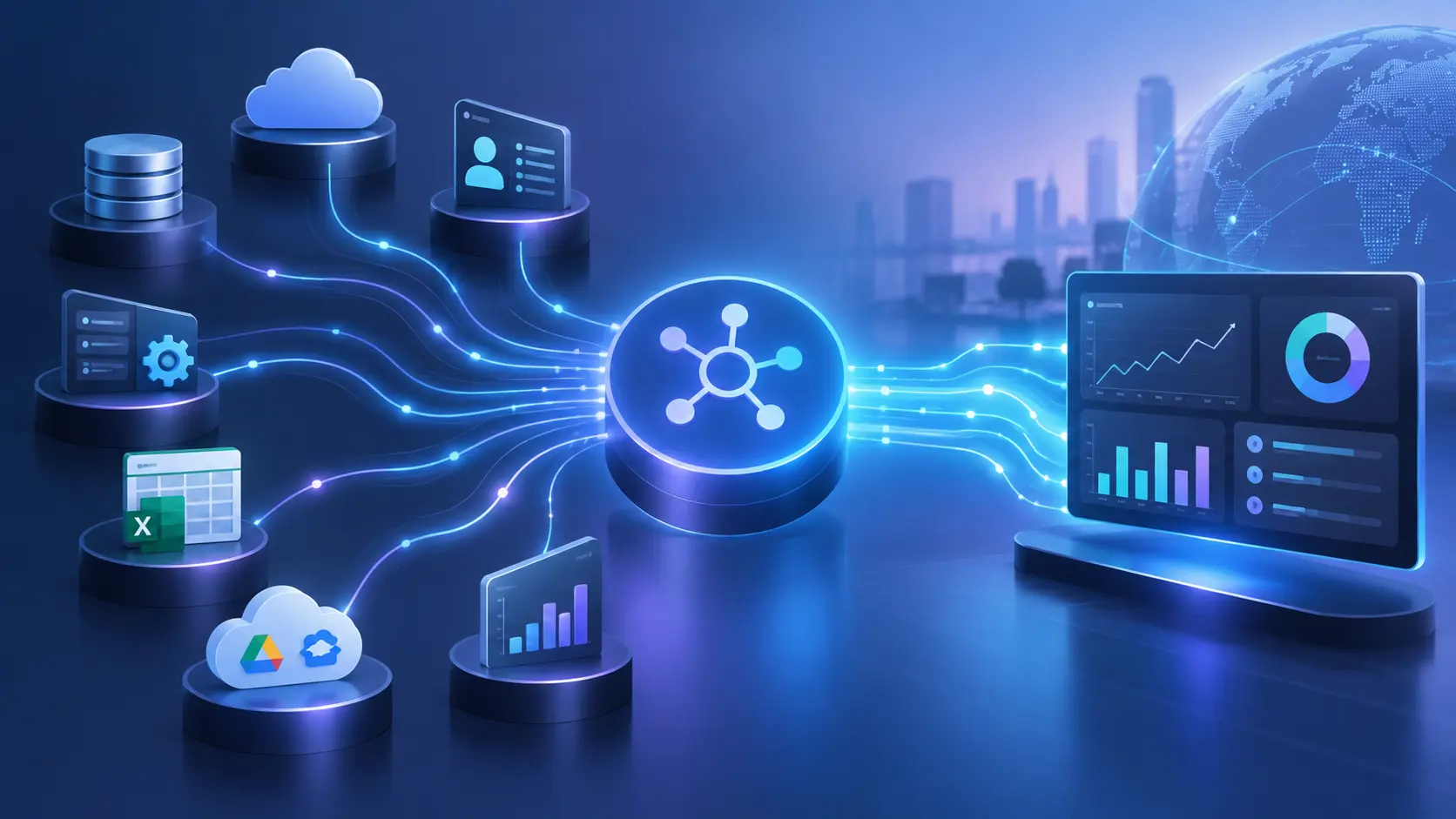
A business can have plenty of data and still struggle to use it.
Sales may have customer information in a CRM. Finance may maintain account and payment records in an ERP. Operations may use a separate platform for fulfilment, while customer service works from another application. Important information exists across the organisation, but each system sees only part of the picture.
That is a data silo.
The problem is not necessarily that the data is stored in different applications. Different systems can serve different business purposes quite effectively. The problem begins when those systems cannot reliably exchange the information that other teams need.
Application integration services address this problem by connecting software applications, databases, APIs, workflows, and other technology components so that relevant information can move between systems under defined rules.
Modern enterprise integration can connect cloud applications, on-premises software, legacy platforms, databases, APIs, and hybrid environments. The objective is not to force everything into one application. It is to make the systems that already matter to the business work together.
For organisations managing complex technology environments, ZDAAS provides Technology Services that include Application Integration & Development, CRM, enterprise content management, cloud architecture, application solutions, security, and support.
A data silo is information that is stored or controlled within one system, department, application, or business process without adequate access or exchange with other systems that need it.
Consider a simple customer journey.
A customer changes their address through an online portal. The CRM still contains the old address. The billing system has another version. The support platform has a third.
The organisation does not necessarily have a lack of data.
It has a data consistency problem.
Employees may have to check multiple systems, manually copy information, ask another department for confirmation, or work from records that are no longer current.
Over time, this creates duplicated records, inconsistent information, manual work, reporting problems, and delays.
Application integration helps address the underlying connectivity problem by establishing controlled ways for systems to exchange, synchronise, transform, and act on data.
Data silos rarely appear because someone deliberately decides to isolate information.
They usually develop as businesses grow.
A department purchases a specialised application because it solves an immediate problem. Another team adopts a different SaaS platform. A legacy system remains because replacing it would be expensive or disruptive. A new application is developed without integration requirements being considered early enough.
Each decision may be reasonable on its own.
The problem appears when the organisation has to operate all of these systems together.
Common causes include:
This means eliminating silos is not simply a matter of buying an integration platform.
The organisation first needs to understand where data lives, who owns it, where it needs to go, and which business processes depend on it.
Application integration creates controlled connections between systems so that information can move without requiring employees to repeatedly transfer it manually.
For example, a customer order could trigger a sequence such as:
Website → CRM → Order Management → Inventory → Billing → Customer Notification
The exact architecture depends on the business.
The important point is that each application can continue performing the job it was designed to perform while integration connects the relevant parts of the workflow.
Enterprise application integration commonly uses APIs, middleware, data mapping, event-driven communication, integration platforms, and security controls to connect otherwise separate systems.
This changes the organisation from a collection of isolated applications into a more connected technology environment.
A major benefit of integration is improved access to information across business processes.
Imagine a sales manager trying to understand the value of a customer.
The CRM may show sales activity. The ERP may contain invoices. The support system may show unresolved issues. A product platform may contain usage information.
Without integration, the manager has to assemble the information manually.
With appropriate integration, authorised systems can exchange the relevant information needed to create a more complete operational view.
This does not always mean creating one enormous central database.
In many cases, the better approach is to let systems remain specialised while establishing reliable data flows between them.
The result can be a more consistent view of customers, transactions, products, cases, or other important business entities.
Manual data entry is one of the most visible effects of disconnected systems.
An employee enters a customer into one platform.
Then someone enters the same information into another.
Later, an address changes.
The employee has to update several records.
Every additional manual step creates another opportunity for:
typing errors, missing fields, inconsistent formatting, delayed updates, and duplicate records.
Application integration can automate these transfers.
A customer record created in one system can trigger a controlled process that creates or updates the corresponding record elsewhere.
This does not make data quality automatic.
Poor source data can still spread through an integration.
That is why a sound integration project should combine automation with validation, field mapping, data ownership, and exception handling.
Data synchronisation means keeping relevant information aligned between connected systems.
The required timing depends on the business process.
Some workflows need real-time integration.
A payment authorisation, security event, or inventory availability check may need an immediate response.
Other workflows can use near-real-time or scheduled synchronisation.
A reporting system may only need updated information every few minutes or hours.
Choosing the correct synchronisation model is important.
Making every integration real-time can increase architectural complexity without creating meaningful business value.
A better approach is to ask:
How quickly does this information need to become available for the business process to continue?
That answer should help determine the appropriate integration pattern.
An API, or Application Programming Interface, provides a defined way for software systems to request or exchange information.
For example, a CRM could expose an API that allows another authorised application to retrieve customer information.
APIs can also allow one system to trigger actions in another.
This makes APIs an important building block for modern application integration.
ZDAAS already addresses this architectural approach in its technology content. Its recent API-first development guidance explains how clearly defined API contracts can support system integration, automation, security reviews, and long-term software growth.
A well-designed API integration should define more than the data being exchanged.
It should also account for:
authentication, authorisation, data formats, error handling, rate limits, versioning, monitoring, documentation, and ownership.
That is what separates a maintainable integration from a fragile connection that becomes another technical problem.
Not every application can communicate directly with every other application.
Older systems may use proprietary interfaces. Different platforms may use different data formats. Some applications may have limited integration capabilities.
Middleware can act as an intermediary layer between systems.
Instead of creating a separate custom connection for every pair of applications, organisations can use integration components to handle communication, transformation, routing, orchestration, and error processing.
This becomes particularly important as the number of applications increases.
If ten systems each need to communicate directly with every other system, the number of possible connections can grow rapidly.
A managed integration architecture can reduce that complexity by introducing reusable services and clearly defined interfaces.
Legacy systems are one of the biggest reasons organisations struggle with data silos.
A business may depend on an older application because it still performs a critical function.
Replacing it immediately may introduce unnecessary cost and operational risk.
Integration offers another option.
A legacy application can sometimes remain in place while APIs, middleware, data services, or other integration mechanisms connect it with newer platforms.
This creates a bridge between existing technology and modern applications.
The approach is particularly useful during gradual modernisation.
Instead of replacing an entire technology environment at once, organisations can prioritise high-value connections and modernise systems in manageable stages.
ZDAAS’s Applications & Software Architecture Solutions include support for application development, cloud solutions, systems deployment, reengineering, architecture, and enterprise modernisation.
This distinction is often missed in articles about data silos.
Connecting two applications does not automatically make the information inside them accurate.
Suppose a CRM contains:
“Acme Corporation”
while an ERP contains:
“ACME Corp.”
and another system contains:
“Acme Corp Ltd.”
The integration may successfully transfer all three records.
The organisation still has a data quality problem.
Effective integration therefore needs data mapping and transformation rules.
These rules can determine how fields correspond between applications, how formats are converted, how identifiers are matched, and what happens when required information is missing.
Organisations may also need master data management or clearly defined systems of record for important entities such as customers, products, suppliers, locations, or employees.
Integration improves data flow.
Data governance determines whether that flow can be trusted.
A disconnected application environment makes it difficult to see what is happening across the organisation.
A finance team may know about invoices.
A sales team may know about opportunities.
Operations may know about fulfilment.
Customer service may know about complaints.
Without connected information, leadership may receive different versions of the same business situation.
Integration can make relevant information available across these workflows.
That can support operational dashboards, reporting, analytics, alerts, forecasting, and management decisions.
The value is not simply “more data”.
It is having the right data available to the right process at the right time.
Some business processes naturally cross application boundaries.
A new employee may require:
HR record creation → identity account → device assignment → payroll setup → application access → security controls
A new customer may require:
lead qualification → CRM record → account creation → billing setup → service activation → customer communication
Without integration, employees may have to perform each step manually.
With integration, one approved event can trigger subsequent actions.
This is where workflow automation becomes more valuable than simply synchronising databases.
The organisation is not only moving information.
It is reducing the number of manual decisions and transfers required to complete a business process.
AI and analytics depend heavily on data quality and accessibility.
If customer information is fragmented across multiple systems, an analytics platform may have difficulty creating a reliable view of customer behaviour.
An AI application can face an even more basic problem:
the information it needs may be incomplete, inconsistent, inaccessible, or outdated.
Application integration can help establish the connected data flows needed for analytics, reporting, automation, and AI-enabled applications.
However, integration should not be confused with AI readiness.
Before feeding business data into an AI system, organisations still need to consider:
data ownership, access permissions, privacy, retention, quality, security, lineage, and human oversight.
ZDAAS has also addressed this issue in its recent guidance on preparing organisational data before investing in AI and automation, stressing the importance of assessing data quality, ownership, access, retention, and integration first.
Data silos create another cost that is difficult to see on an IT budget.
Employee context switching.
An employee may open one application to find a customer number, another to check an order, another to confirm payment status, and a spreadsheet to reconcile the results.
Each transition takes time.
More importantly, employees have to remember which system contains which information.
Integration can bring relevant information into the workflow where it is needed.
For example, a support representative may be able to see customer account information and order status without manually searching multiple systems.
The objective is not to eliminate every application.
It is to eliminate unnecessary application hopping and manual reconciliation.
Customers do not care which internal application stores their information.
They care whether the organisation can answer their question accurately.
A customer who changes their contact details should not have to repeat the change to several departments.
A support representative should ideally be able to access relevant account information without asking the customer to provide information the organisation already holds.
A purchase should update the systems responsible for fulfilment, billing, and customer communication without unnecessary manual intervention.
Application integration can therefore improve customer experience by connecting the internal processes behind the customer-facing service.
The customer sees one organisation.
Integration helps the underlying systems behave more like one organisation.
There is no single integration method that suits every environment.
The appropriate approach depends on application capabilities, data volume, business urgency, security requirements, architecture, and operational constraints.
Applications communicate through defined APIs.
This is widely used for modern cloud and web applications because APIs provide controlled interfaces between systems.
One system publishes an event and another system responds.
For example, Order Created could trigger inventory, billing, and notification processes.
This approach can reduce direct dependencies between applications when designed correctly.
Systems exchange information through database-level connections or data pipelines.
This can be useful in some environments but requires careful attention to ownership, security, schema changes, and application dependencies.
A middleware layer manages communication, transformation, routing, or orchestration between applications.
This can be useful when integrating many systems or bridging technology generations.
Integration Platform as a Service (iPaaS) provides cloud-based tools for building and managing integrations across applications and environments.
It can be useful where organisations need reusable connectors, workflow management, monitoring, transformation, and centralised integration administration.
The correct approach is determined by the business and technical requirements—not by whichever integration pattern happens to be most fashionable.
A quick point-to-point connection can be perfectly reasonable for a simple requirement.
The problem appears when every new system gets another direct connection.
Over time, the environment can become difficult to understand:
Application A → B
A → C
A → D
B → C
B → D
C → D
Each connection introduces another dependency to monitor, secure, test, document, and maintain.
A broader integration architecture establishes common patterns, interfaces, security controls, monitoring, ownership, and governance.
That makes future integrations easier to manage.
The goal is not to eliminate point-to-point connections completely.
It is to avoid allowing them to grow into an unmanaged network of fragile dependencies.
A reliable integration environment needs more than connectors.
Key architectural considerations include:
Data ownership: Which system is authoritative for each important data element?
Data mapping: How do fields and values correspond between applications?
Authentication: How are systems securely identified?
Authorisation: Which applications and users are permitted to access specific information?
Error handling: What happens when a receiving system is unavailable?
Retry logic: How are temporary failures handled without creating duplicate transactions?
Monitoring: How does the organisation know when an integration fails?
Logging: What information is recorded for troubleshooting and audit purposes?
Versioning: How are API or schema changes managed?
Data protection: How is sensitive information protected while it moves between systems?
Ownership: Who is responsible when an integration stops working?
These decisions determine whether integration remains reliable as the organisation grows.
Connecting systems creates new data pathways.
That means security must be designed into the integration architecture.
An organisation should know:
what data is moving, where it is moving, why it is moving, who can access it, how it is authenticated, how it is protected in transit, and how access is monitored.
Sensitive data should not be exposed simply because two applications need to communicate.
Security controls can include authentication, authorisation, encryption, access policies, secrets management, network controls, logging, monitoring, and appropriate data minimisation.
Integration should therefore be designed with security rather than treated as a separate activity after the connections have already been built.
ZDAAS’s technology services specifically include IT system security and security auditing and compliance, alongside application integration and development capabilities.
Integration projects can fail when organisations focus only on connecting systems.
Before building connections, businesses should map the current environment.
A practical assessment should identify:
Which applications exist?
What data does each application own?
Which systems need that data?
How is information currently transferred?
Where are manual processes creating errors or delays?
Which integrations already exist?
Which systems are legacy?
Which data is sensitive?
What happens when a system becomes unavailable?
Which business processes are most affected by disconnected data?
This creates an integration inventory and dependency map.
From there, integration priorities can be based on business impact rather than technical convenience.
A sensible integration programme can be divided into stages.
Stage 1: Map the Environment
Document applications, databases, APIs, data owners, integrations, business processes, and major data flows.
Stage 2: Identify the Highest-Value Silos
Prioritise silos that create measurable business problems such as duplicate entry, delayed processing, inaccurate reporting, customer service issues, or compliance risk.
Stage 3: Define Data Ownership
Decide which system is authoritative for each important business entity or field.
Stage 4: Select the Integration Pattern
Choose APIs, events, middleware, data pipelines, iPaaS, or another approach according to the requirements.
Stage 5: Build Security and Error Handling
Define authentication, access controls, encryption, logging, monitoring, retries, and exception processes before production deployment.
Stage 6: Measure the Result
Compare the new workflow against the original baseline.
Useful measures can include manual processing time, duplicate records, data errors, processing delays, integration failures, support tickets, and time required to produce reports.
This turns integration from a technology project into a measurable business improvement programme.
Not every integration project produces the expected result.
One common mistake is connecting applications without first deciding which system owns the data.
Another is building integrations around undocumented assumptions about field names, data formats, or business rules.
Organisations can also underestimate the importance of failure handling.
What happens if the CRM is available but the billing system is down?
Should the transaction fail?
Should it be queued?
Should it retry?
How does an employee know that something needs attention?
Another frequent problem is treating integration as a one-time development project.
Applications change.
APIs are versioned. Vendors update platforms. Business processes change. Data models evolve.
Integration therefore needs ongoing monitoring, maintenance, testing, and governance.
The return on integration should be measured against the business problem it was designed to solve.
For example, if employees spend 20 hours each week manually reconciling information between two applications, reducing that work is a measurable outcome.
Other indicators may include:
| Metric | What It Measures |
|---|---|
| Manual data-entry hours | Labour recovered through automation |
| Duplicate records | Data consistency |
| Processing time | Workflow efficiency |
| Integration failure rate | Reliability |
| Data correction requests | Data quality |
| Report preparation time | Information accessibility |
| Customer response time | Operational responsiveness |
| Application hand-offs | Workflow complexity |
| Support incidents | Integration stability |
| Time to onboard a customer or employee | Process efficiency |
The important point is to establish a baseline before integration.
Without a baseline, claims about improvement become difficult to verify.
Integration is worth investigating when disconnected systems are creating a measurable operational problem.
Warning signs include:
Employees repeatedly entering the same information into multiple systems.
Different departments reporting different versions of the same customer or transaction data.
Critical processes depend on spreadsheets and manual reconciliation.
Management reports require data to be assembled from several applications.
Legacy applications cannot easily exchange information with newer systems.
Customers have to repeat information across departments.
New software purchases create another isolated data source.
IT teams spend increasing amounts of time maintaining fragile connections.
These problems suggest that the organisation may need an application integration assessment rather than another standalone application.
Application integration is not only a matter of connecting two pieces of software.
The surrounding architecture matters.
ZDAAS provides Software Solutions + Applications with a full lifecycle approach covering requirements gathering, process assessment, capability evaluation, architecture, validation, reengineering, configuration management, and project management.
Its Technology Services also specifically identify Application Integration & Development and Cloud Architecture among its areas of specialisation.
That combination allows an integration project to be considered alongside the wider application environment.
For example, a business may need to connect a CRM with an existing enterprise application. During assessment, the underlying architecture may reveal an outdated API, inconsistent customer identifiers, security gaps, or a legacy component that needs reengineering.
Addressing those issues as part of the wider technology plan can produce a more maintainable result than simply adding another connector.
For larger programmes, ZDAAS also provides Agile Services & IT Project Management to support structured delivery, governance, requirements, project execution, and technology initiatives.
Businesses sometimes approach integration with the wrong objective.
The goal is not:
“Connect every application.”
The better objective is:
“Make the right information available to the right process, securely and reliably, without unnecessary manual work.”
Some applications should remain separate.
Some data should not be shared.
Some processes do not require real-time synchronisation.
And some legacy systems may be better replaced than integrated.
A strong integration strategy recognises these differences.
Data silos affect more than technology teams.
They influence how quickly employees work, how accurately reports are produced, how customers are served, how managers make decisions, and how easily a business can change its processes.
Application integration services help break down these barriers by connecting systems, automating data movement, synchronising important information, supporting legacy-modern environments, and creating more reliable business workflows.
But the strongest integration projects do more than move data from one application to another.
They establish data ownership, security controls, monitoring, error handling, governance, and maintainable architecture.
That distinction matters.
A badly designed integration can simply replace one data silo with a complicated web of dependencies.
A well-designed integration architecture gives the organisation a controlled way to make its existing technology work together.
For businesses dealing with disconnected applications, inconsistent records, manual reconciliation, or legacy systems, the first step is not necessarily to replace everything.
It may be to understand how the existing systems can work together more effectively.
Talk to ZDAAS about your application integration requirements and assess where disconnected systems are creating avoidable work, data problems, or technology constraints.
Use the form below to contact us about product information and pricing, customer feedback, stockholder services, or just to voice a concern.